
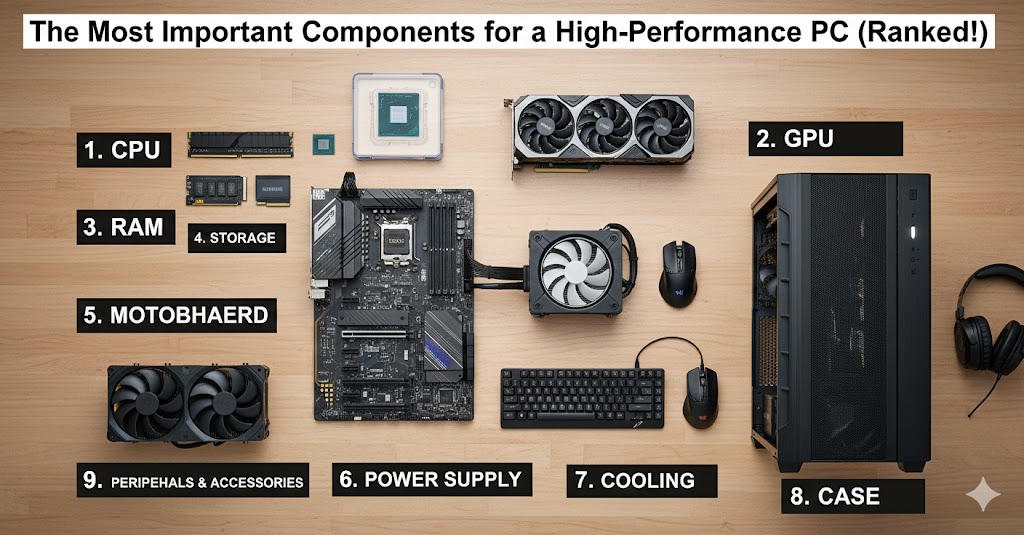
Building or upgrading a high-performance PC can feel overwhelming with so many components, brands, and specifications to choose from. Whether you’re a gamer, content creator, or professional, understanding which parts matter most can help you get the best performance for your budget.
In this guide, we’ll rank the most important components of a high-performance PC and explain why they matter.
1. CPU (Central Processing Unit) — The Brain of Your PC
The CPU handles calculations, runs software, and determines overall system speed. It’s especially critical for tasks like:
- Gaming
- Video editing
- 3D rendering
- Data processing
Tips:
- Choose multi-core CPUs for multitasking.
- Opt for the latest generation for future-proofing.
- Balance CPU power with your GPU for optimal performance.
2. GPU (Graphics Processing Unit) — The Visual Powerhouse
The GPU is essential for:
- Gaming at high resolutions
- 3D rendering
- Video production
- AI and machine learning workloads
Tips:
- Higher-end GPUs are worth the investment for gamers and creators.
- Ensure your PSU and case support your chosen GPU.
- Keep an eye on VRAM; more is better for 4K and high-end applications.
3. RAM (Memory) — For Smooth Multitasking
RAM determines how many applications you can run simultaneously and how quickly your system can handle large files.
Tips:
- Minimum 16GB for gaming; 32GB+ for video editing or 3D work.
- Choose fast RAM compatible with your motherboard.
- Leave room for future upgrades.
4. Storage — Speed and Capacity Matter
Modern PCs benefit from fast storage for OS, apps, and games.
Tips:
- Use NVMe SSDs for primary storage—dramatically faster than SATA SSDs or HDDs.
- Add larger HDDs or SATA SSDs for bulk storage.
- Consider RAID or backup solutions for critical data.
5. Motherboard — The Backbone
The motherboard connects all components and determines your upgrade potential.
Tips:
- Choose a motherboard that supports your CPU, RAM, and GPU.
- Look for features like multiple M.2 slots, USB-C, Wi-Fi, and good VRM cooling.
- Pick a board from a reputable brand to avoid compatibility issues.
6. Power Supply (PSU) — Don’t Skimp on Power
A high-quality PSU ensures stable power delivery and protects components.
Tips:
- Choose 80+ Gold or Platinum rated PSU.
- Ensure wattage is sufficient for future upgrades.
- Modular PSUs help with cable management and airflow.
7. Cooling — Keep Your System Stable
Cooling impacts performance, lifespan, and noise levels.
Tips:
- Air cooling is simple and reliable; AIO liquid cooling is great for overclocking.
- Ensure your case has adequate airflow.
- Monitor temperatures regularly.
8. Case — The Foundation
A good case ensures airflow, protects components, and simplifies upgrades.
Tips:
- Prioritize airflow, dust filters, and space for large GPUs.
- Look for tool-less design for easier installation.
- Choose durable materials that last.
9. Optional: Peripherals & Accessories
While not part of the core PC, high-performance peripherals enhance your experience.
- Mechanical keyboards and responsive mice
- High-refresh-rate monitors
- Audio equipment for editing or gaming
Ranking Summary
Here’s a quick ranking of components based on importance for high-performance PCs:
- CPU
- GPU
- RAM
- Storage
- Motherboard
- Power Supply
- Cooling
- Case
- Peripherals & Accessories
Remember: All components work together. A high-end GPU won’t perform well with a weak CPU, and fast RAM won’t matter if your storage is slow.
Final Tips from Experts
- Plan your build around the component most critical to your use-case.
- Don’t cut corners on PSU, cooling, or motherboard—these affect longevity.
- Future-proof where possible: leave room for RAM, storage, and GPU upgrades.
- Regular maintenance like cleaning dust and updating drivers prolongs performance.
By understanding component importance and balance, you can build a PC that’s fast, stable, and ready for years to come.